Bring the tools you already use
Tide hosts external coding-agent CLIs in native terminal tabs. Install and authenticate each provider separately. Tide detects its executable on PATH and makes it available in the workspace.
| Provider | Executable |
|---|---|
| Claude Code | claude |
| Codex | codex |
| Gemini CLI | gemini |
| Antigravity CLI | agy |
| OpenCode | opencode |
Authentication, model access, billing, and native conversation history remain with the provider CLI.
Start an agent
- Check the executable with
command -v claude,command -v codex, or the name of your chosen provider. - Restart Tide if you changed PATH.
- Open Add Tab with Ctrl+Shift+A or Cmd+Shift+A, then choose AI CLI and an available provider.
You can also use AI CLI: New... in the command palette. With multiple providers it opens a chooser; with one available provider it launches directly.
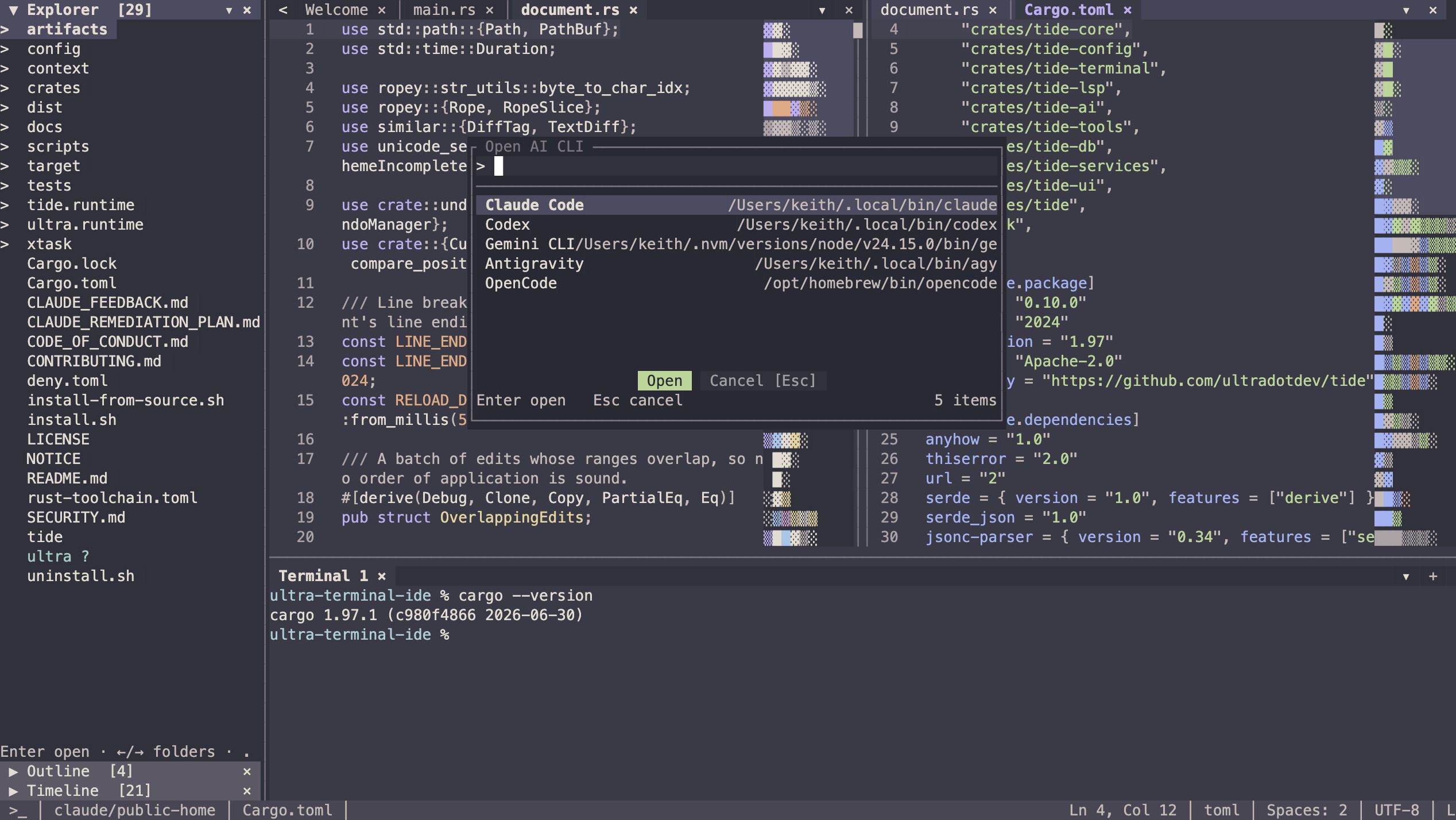
Ctrl+Shift+I or Cmd+Shift+I focuses the most recently used open agent tab, or opens a provider chooser when none is open.
Find and resume sessions
The Agents sidebar groups sessions by provider and filters them to your workspace or its descendants. Search by session title, provider, or model. Click to select a session; double-click or press Enter to open it. Opening an already active session focuses its existing tab.
Use Ctrl+Shift+J or Cmd+Shift+J for the all-provider session picker. If your terminal cannot send those combinations, Ctrl+Alt+A is an alternative.
After moving a repository, use Agents: Associate Previous Workspace... to explicitly associate its earlier sessions.
Your sessions stay yours
- Provider-native IDs identify sessions. Closing a Tide tab stops its hosted PTY; it does not delete or archive provider history.
- Rename, archive, and delete actions appear only when the provider supports them.
- A missing executable leaves a restored tab identifiable. Tide does not silently substitute a different provider.
- A provider discovery error is shown for that provider while others continue to load.
Provider tabs share the same terminal emulator, paste handling, mouse reporting, and resize behavior as ordinary shell tabs.
Editor controls and CLI controls
When an agent has keyboard focus, normal shell control keys go to that CLI. Use Ctrl+T or F1 to open Tide's palette from a terminal surface. F6 moves focus between workspace regions.
Use each provider CLI's own authentication, model selection, prompts, and project-instruction files.
If a provider is missing
tide --check-ai-cliConfirm the provider can launch outside Tide, check PATH, and restart. If discovery fails but the CLI works, try a fresh provider tab and inspect the reported error.